
Reviews
Preschool Learning Laptop Adventure offers a safe, engaging way for young children to learn letters, colors, shapes, animals, and music. The seven mini games are simple to understand and encourage exploration without frustration. Parents will appreciate the family-safe content and educational focus. The colorful interface and variety of activities keep children interested while building foundational skills. Highly recommended for preschool learning.
Description
Game Introduction
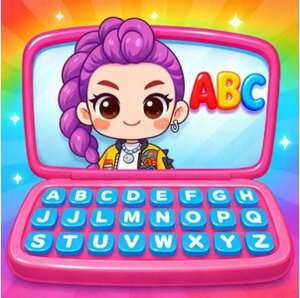
Preschool Learning Laptop Adventure is a simulation game designed for young children to explore foundational skills in a safe, digital environment. The game recreates the experience of using a first laptop with a bright, friendly interface that encourages curiosity. Inside, players can access seven distinct mini games that focus on teaching letters, colors, shapes, animals, and music. Each activity is crafted to be safe, engaging, and educational, helping kindergarten-age children develop essential skills like letter recognition, color matching, shape identification, and basic music understanding. Parents can trust this game as a quality educational tool for their children, as all content is family-safe and free from inappropriate material.
How to Play
To play, children choose any of the seven mini games from the main menu. In one activity, players tap balloons that match a displayed letter. Another activity involves popping bubbles on a fidget toy for relaxation. In a feeding game, children recognize and match objects to feed a friendly monster. A caring activity lets children help sick animals feel better and enjoy a fun show. Connecting dots in sequence reveals animal shapes and teaches drawing. A music activity lets children tap band members to create a harmonious song. A color-matching game involves dragging objects to fireworks of the same color. Simple instructions guide each activity, making play easy and enjoyable.
Game Features
The game includes seven mini games that teach letters, colors, shapes, animals, and music. Each mini game has simple controls suitable for young children. The interface is colorful and intuitive, encouraging exploration without frustration. Activities include popping balloons, feeding a monster, connecting dots, and creating music. All content is family-safe and free from violence or inappropriate material, ensuring a positive learning experience. The variety of games keeps children engaged and helps reinforce multiple skills through play.
Tips for Success
Encourage children to try each mini game to discover their favorite activities. Regular practice helps reinforce letter and color recognition. Celebrate small achievements to build confidence and motivation. Let children explore at their own pace without pressure. Using the variety of games keeps learning fresh and fun, promoting sustained interest.




Player Comments
Sign in to comment
You must be logged in before posting a review or rating.
No account? Create one
No comments yet. Be the first to comment!